
The application preferences window allows you to update the following two preference panels: Guides and Grid. Also the Text box and Form fields preferences.
How To Access The Preferences: The preferences can be accessed from the View menu.
Guides and Grid Preferences
Ruler guides – Choose a color and location of guides; below or above page objects.
Grid – Choose a color or distance/spacing between grid lines or grid type; Lines or Dots.
Ruler – Measurement system such as pixels, inches, millimeters or picas. Styles.
Toolbar – Styles such Condensed or Expanded.
Snapping System – Activate or deactivate the guid, grid, or other object snapping.

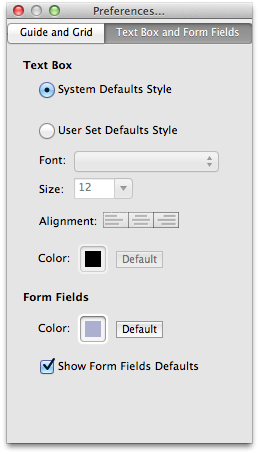
Text box and Form fields
Text Box – Allow the Text box Default Style to be set
Form Fields Allow updating the display display Color
Updated for Dru 1.4