
To Add a Gradient to a Shape
- Add a Shape to the view/page
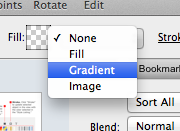
- Navigate to the Options Panel and click on the “None” or “Fill” and select “Gradient” from the drop down menu.
To Edit a Gradient Shape:
- Select the page object in the view/page.
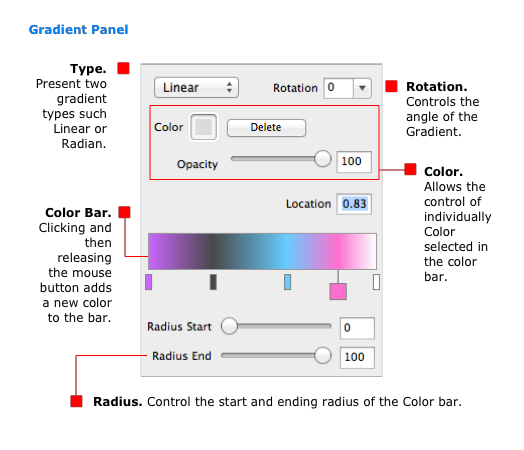
- Navigate to the Options Panel and click on the “Fill” color area. [Shortcut: Control-Key + F], (The Gradient Pop over will open)
Updated for Version 1.4